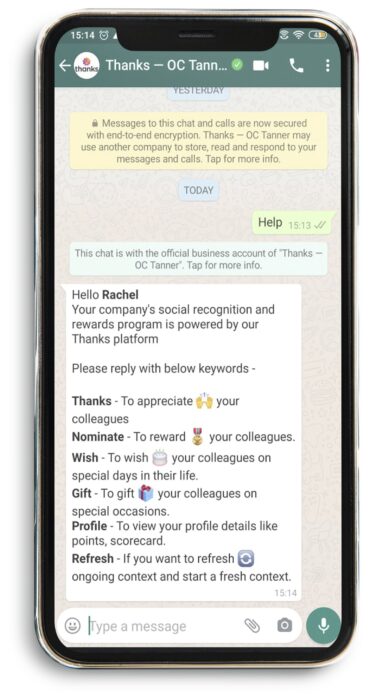
Employees can now appreciate colleagues in the flow of work.
Thanks WhatsApp - Configuration Setup
Get started using Thanks, now on your favorite social platform. Begin configuring your Thanks Bot for WhatsApp in just few steps.
Company level
To install Thanks on Whatsapp at company level, the admin or your company SPOC can send a request to our team for configuration setup. Ensure your active WhatsApp numbers are provided. Requests can be sent to sales@thanks.com
Activate your WhatsApp number
Users have to subscribe to WhatsApp channel by logging in to the web portal. Verify your mobile number with a One Time Password authentication technique. To get started click on this link – https://wa.me/13857070257
Thanks WhatsApp
Thanks Bot for WhatsApp lets you experience instant recognition capabilities and makes recognition simple to use at any time, anyplace.
Receive notifications
You will start receiving notifications for appreciations, nomination requests, and so on. To stop receiving notifications on your WhatsApp, you can unsubscribe anytime.
Thank colleagues instantly
With the non-monetary recognition features, appreciate your colleagues instantly from whatsapp.
Send rewards from the app
Send rewards to your colleagues with simpler and faster approval flows on the nominations. Get notifications of rewards sent, approved and received on your whatsapp chat window. How cool is that?!
Send wishes on special occasions
Whether it’s a birthday or a work anniversay, grab a moment to celebrate every occasion and make your colleagues feel special.
Gift reward points
Share your earned reward points with your colleagues and send them as gifts.
View your profile
Take a look at your profile to keep a track of the count of appreciations, wishes and rewards received to you. Get to know the balance points available in your kitty!